
Patients reached, prepared and booked, on their schedule.
Reminders, prep coaching, outreach and referrals run on their own, in your practice's own name, so patients show up ready.
The apps in Patient Experience.
Each one works on its own, and better together, on the same AIVA platform.
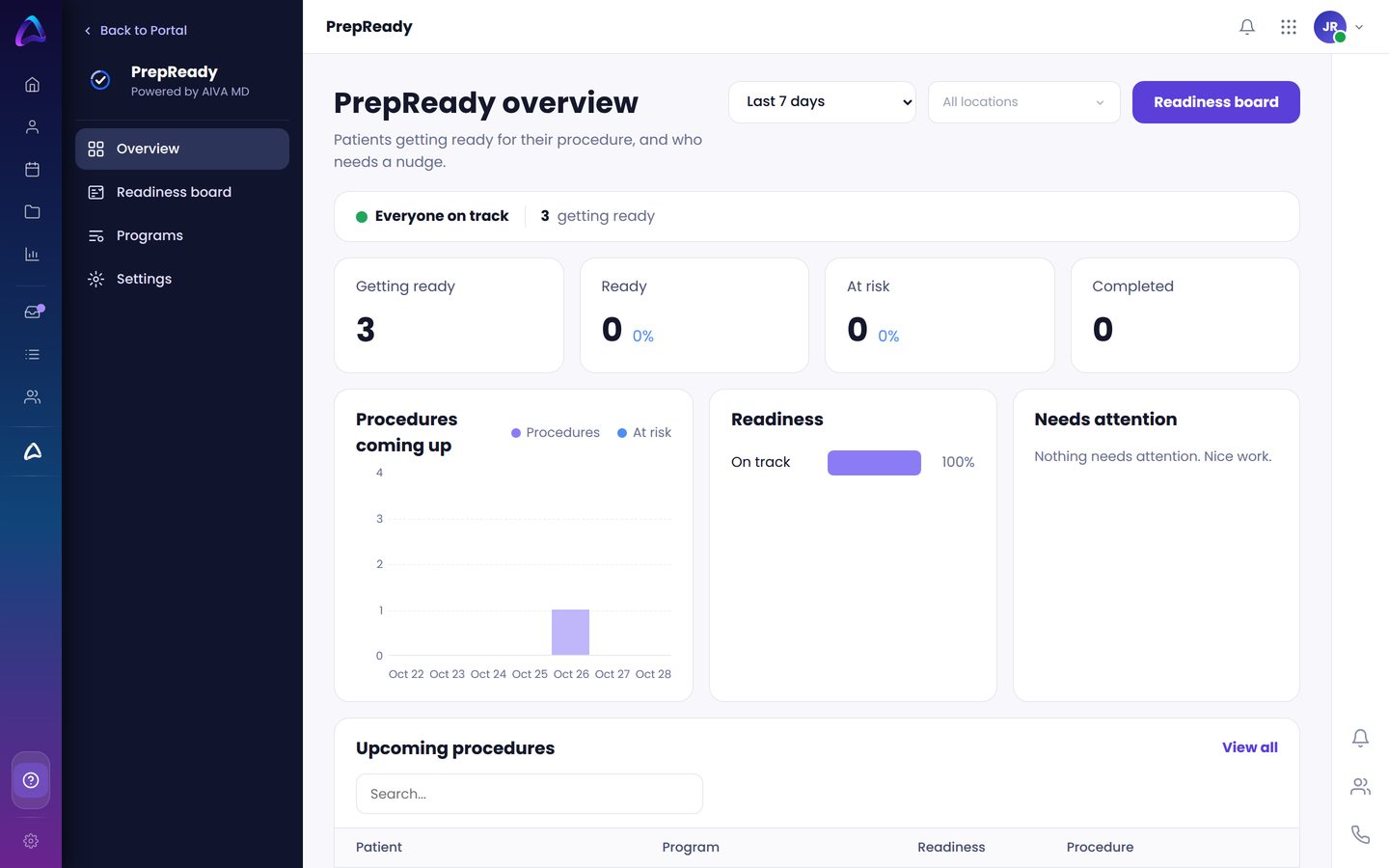
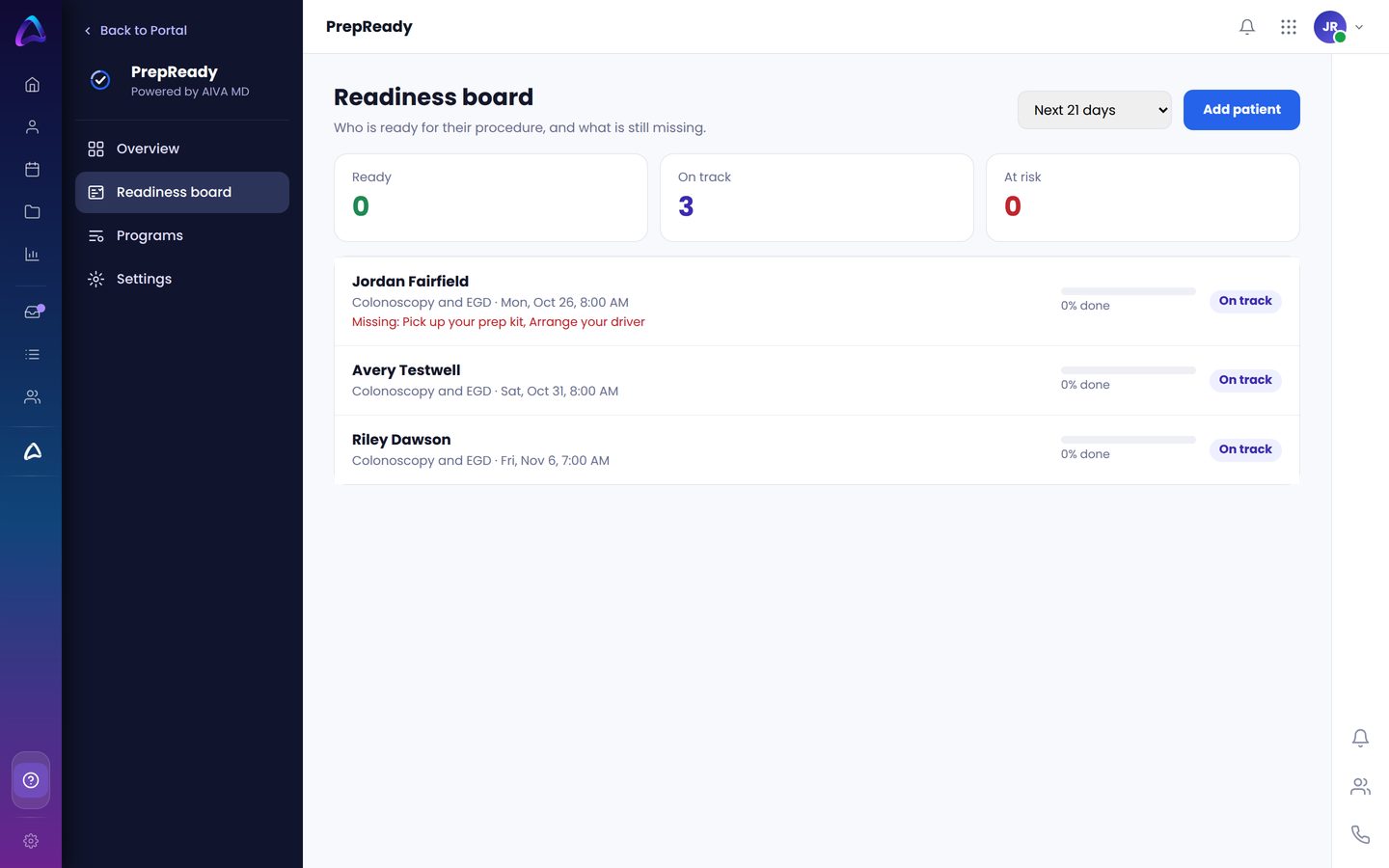
PrepReady
Procedure prep coaching, step by step.
- Prep plan sent right after booking
- Answers from your approved instructions
- Confirms the prep is done
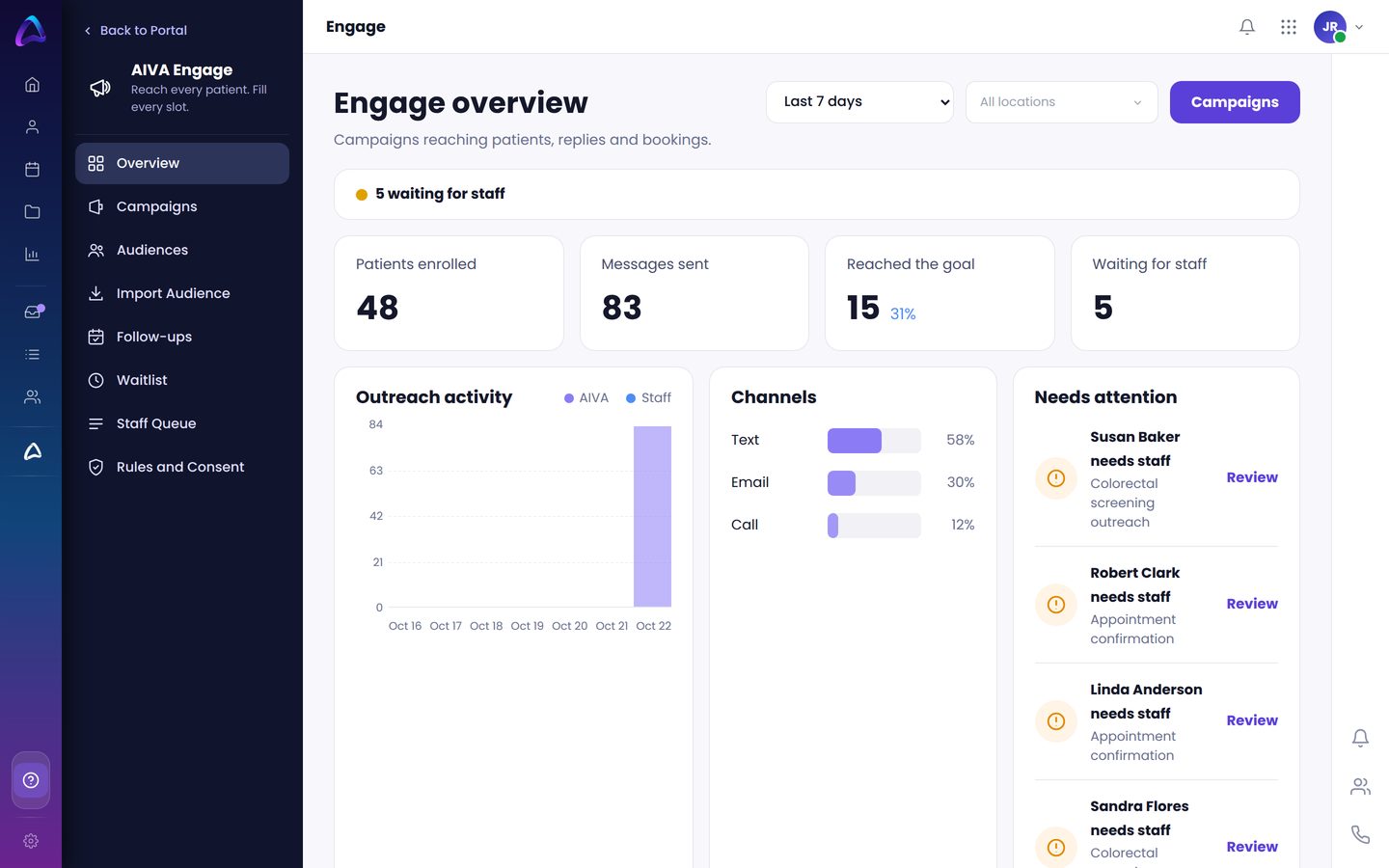
Engage
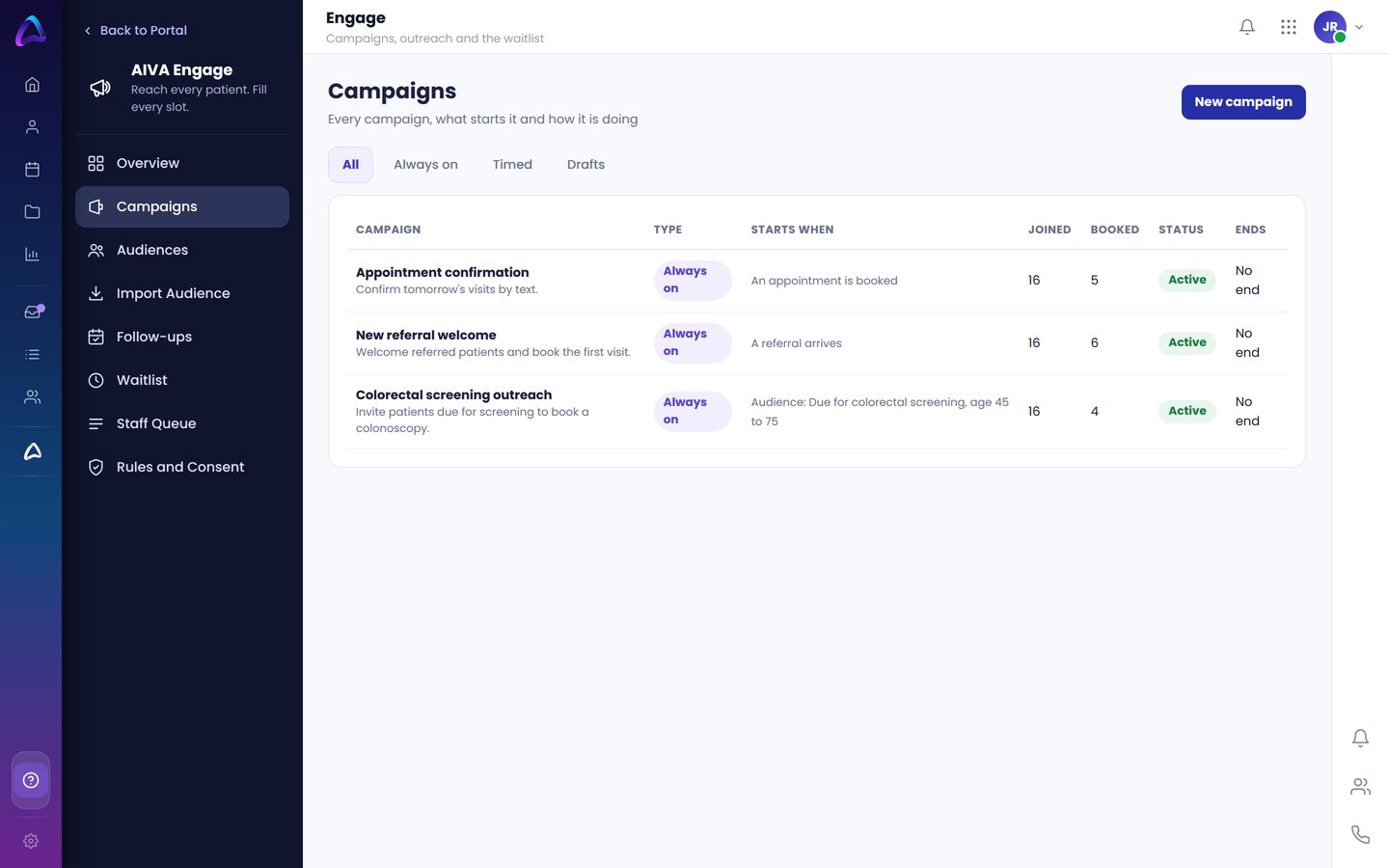
Outreach campaigns that fill the schedule.
- Texts, emails and calls in your practice's name
- Patient lists built from simple rules
- A staff queue for anyone who needs a person
Care Connect
Your digital front door, from home to the waiting room.
- Check-in kiosk in the waiting room
- Online intake, forms and booking
- Insurance card photo from a phone or the kiosk
Experience
Hear from every patient.
- Feedback after the visit
- See what patients love and what to fix
- Follow up when someone is unhappy
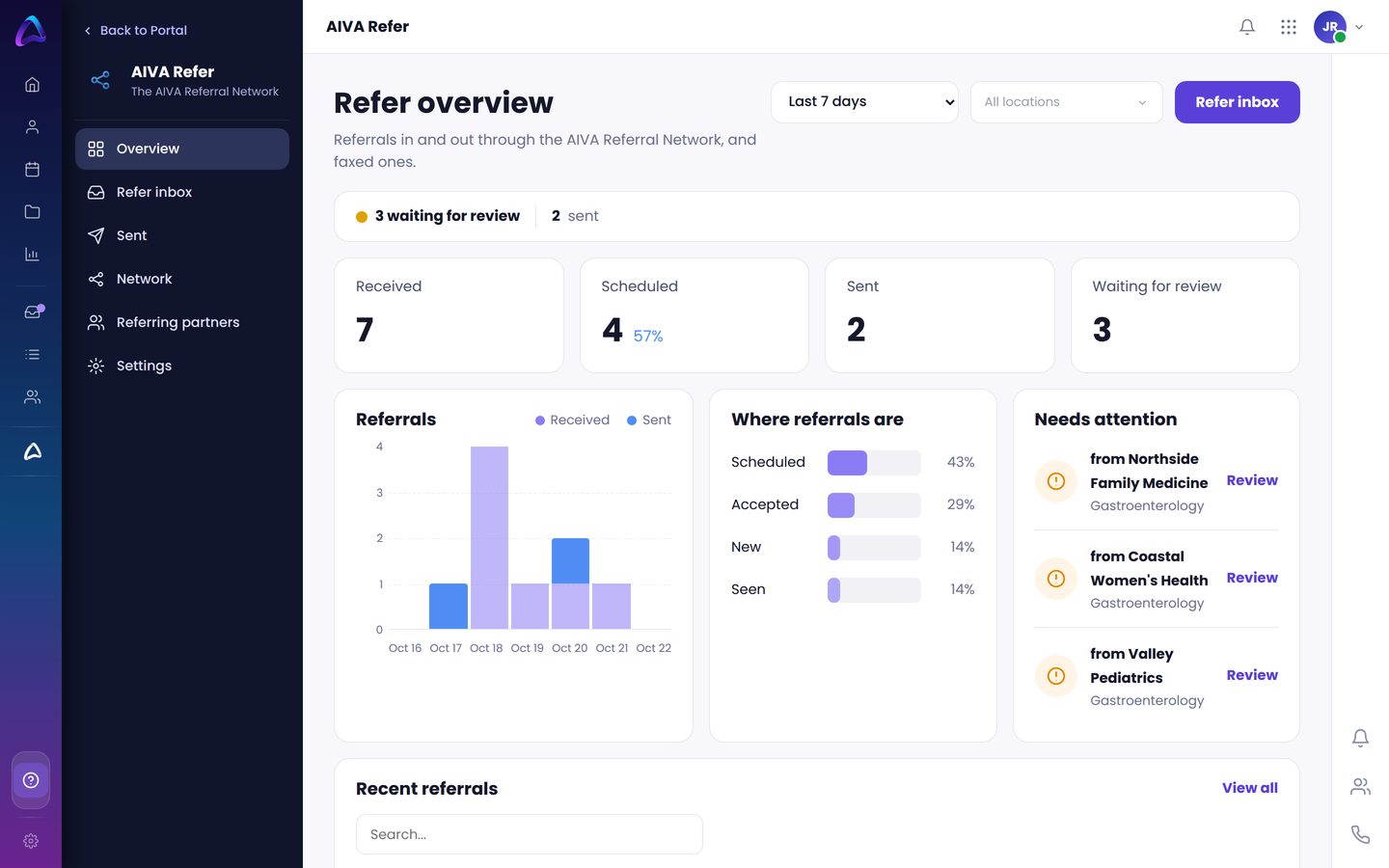
Refer
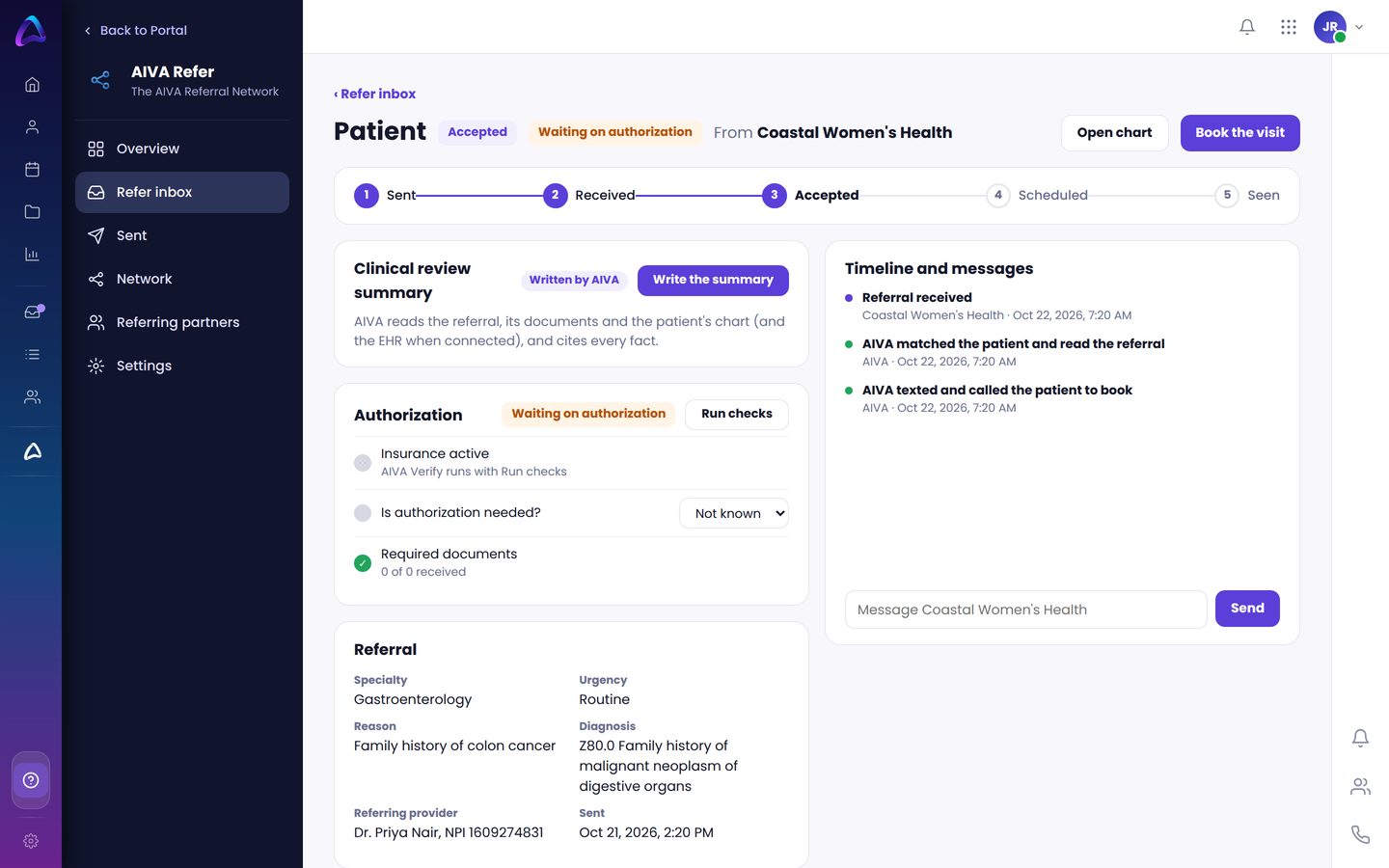
Referrals in and out, tracked to the visit.
- Fax, upload, email or sent in AIVA
- The patient is contacted and booked
- Partners see the status
What your team sees.
Real screens from AIVA, shown with sample patients.
Check-in, without the clipboard.
A tablet in your waiting room that patients use on their own. Their details, insurance and forms go straight into AIVA, and the front desk sees who is here.
Check in
Name and date of birth, on the screen.
Update
Confirm address, phone and pharmacy.
Insurance
Snap the card. AIVA Verify checks it.
Sign
Consent and intake forms, signed on screen.
Let's check your insurance
Hold your insurance card inside the frame.
The procedure that stays on the calendar.
Booked
The patient books a colonoscopy. PrepReady sends the practice's prep plan.
Coached
The night before, the patient asks a question. AIVA answers from your approved instructions.
Confirmed
The patient confirms the prep is done. Anything unusual goes to your team.
Ready
The patient arrives prepared, and the room stays full.
Patients know what to do, and your schedule holds.
Part of the AIVA Referral Network.
Refer connects you to the AIVA Referral Network, where referring offices and specialists send and receive referrals and see every step from sent to seen.
Explore the Referral NetworkSee Patient Experience in your practice.
Book a 30-minute demo and we will show you how AIVA handles it, step by step.