
Every request gets an owner, a deadline and a finish line.
Calls, faxes and messages become tasks for the right person or team. Everyone sees what is open, what is late and what got done.
The apps in Operations.
Each one works on its own, and better together, on the same AIVA platform.
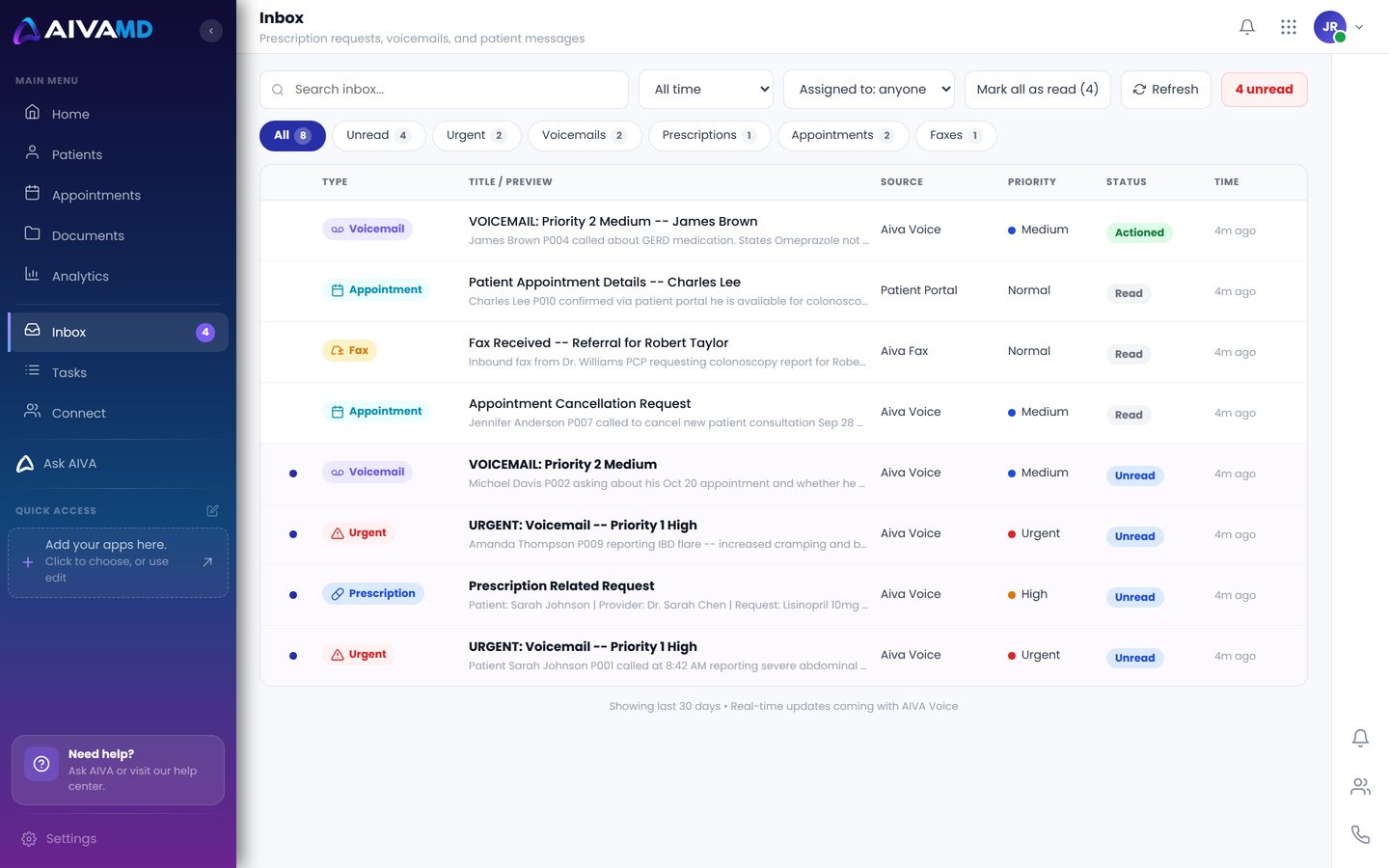
Inbox
Your alerts and assignments in one place.
- New voicemails, faxes and tasks as they arrive
- Unread counts on every app
- One click to the patient chart
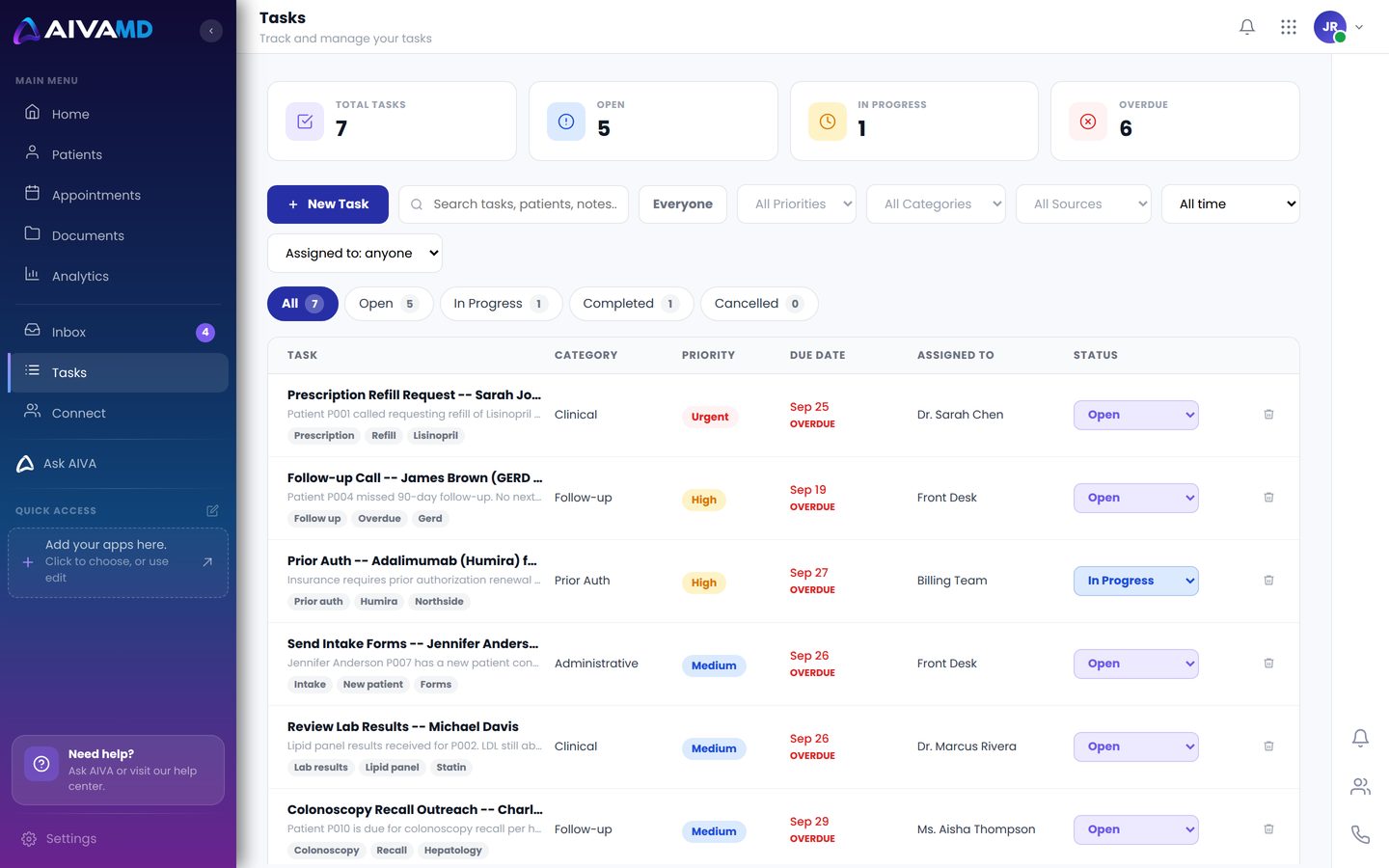
Tasks
Requests turned into work, with an owner.
- Assign to a person, a role or a group
- Due dates and priorities
- Every step logged: who, what and when
Connect
Staff messaging built for the practice.
- Direct and group messages
- Groups that match your offices and teams
- Share a patient or a task in the chat
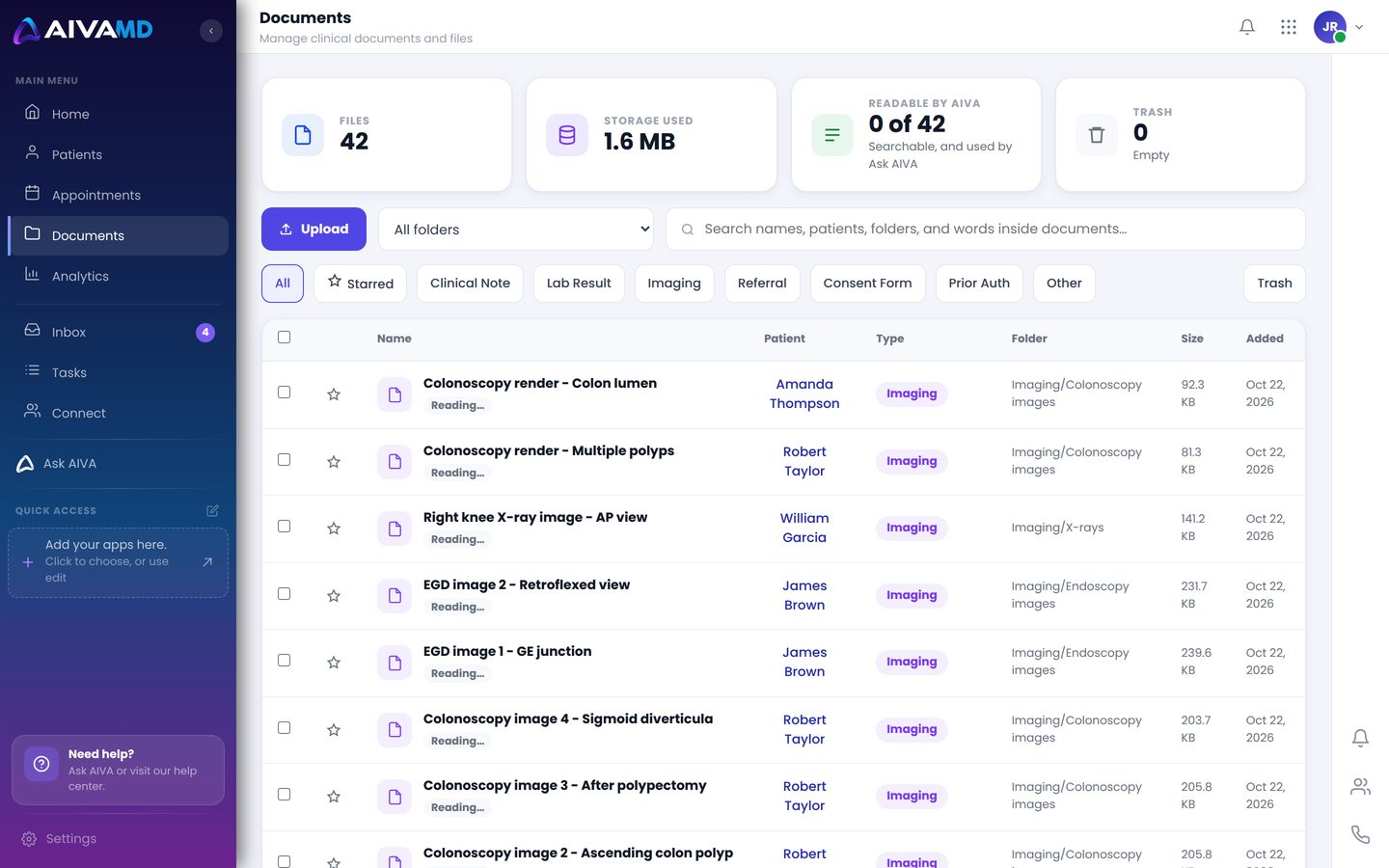
Documents
Every file, filed to the right chart.
- Faxes, uploads and forms in one place
- Sorted by type and patient
- Searchable from the chart
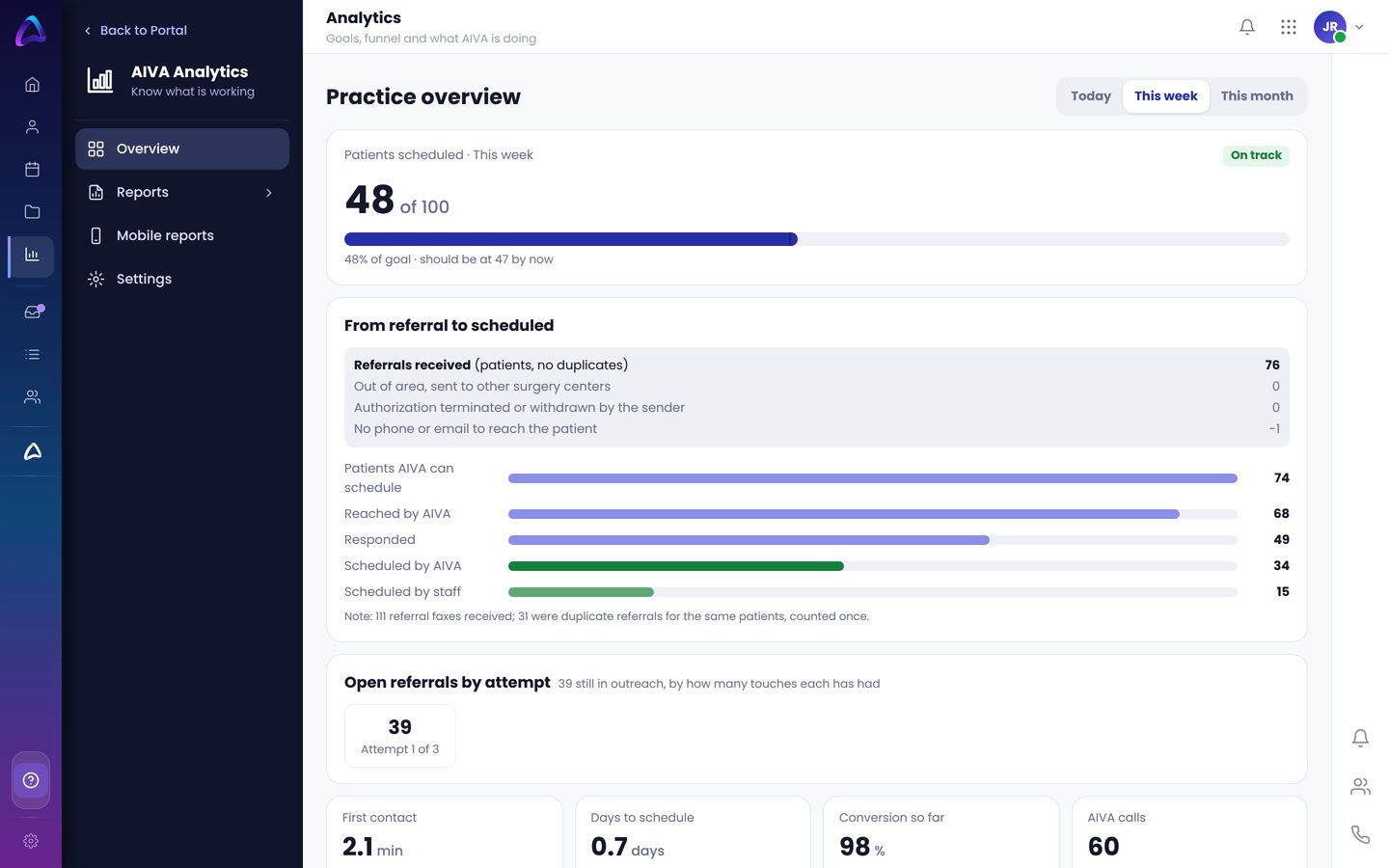
Analytics
See how the practice is running.
- Calls, faxes, tasks and outreach in one view
- Goals for each office
- Reports for owners and managers
What your team sees.
Real screens from AIVA, shown with sample patients.
The refill that does not get lost.
Takes the request
Medication, pharmacy and a callback number.
Task to the MAs
The Medical Assistants group gets it, with the summary and recording.
An MA closes it
Takes the task, handles the refill, closes it.
Tracked
Every step is logged: who, what and when.
Every request has an owner. Every owner has a deadline.
One shared way to assign work.
Tasks, voicemails, faxes and messages all use the same Assign to: a person, a role or a group. When a role or group gets it, everyone in it sees it, and the first to finish closes it.
See Operations in your practice.
Book a 30-minute demo and we will show you how AIVA handles it, step by step.